
DDownload Premium review (2026)
I’ve used both free and premium for several months. Here’s what actually matters day‑to‑day.
✓ 2026 / May checked
Quick verdict: If you regularly download multi‑part archives (e.g., split RARs) or use JDownloader queues, Premium is a no‑brainer. The yearly plan works out to ~€3.33/month. For occasional small downloads, free is fine – you’ll just wait 30 seconds per file.
Note: On the official checkout page, DDownload now calls the paid plan “Ultimate”. Many users still search for it as “DDownload Premium”, but both refer to the same paid upgrade.
The biggest change: no waiting timer
On a free account, every single file triggers a 30‑second countdown and a captcha. Download a 20‑part archive? That’s 10+ minutes of just staring at a timer. Premium removes that entirely. Click download → it starts. That alone is worth the upgrade for most people.
Second: resume support
Free accounts don’t support resuming. If your connection drops at 90% of a 10 GB file, you restart from zero. Premium picks up where it left off. On flaky Wi‑Fi or mobile connections, this is huge.
Free vs Premium – key differences
| Feature | Free | Premium |
|---|---|---|
| Waiting timer | 30s + captcha | None |
| Resume downloads | Restart from zero | Resume |
| Parallel downloads | 1 at a time | 10+ |
| Daily traffic | Throttled early (~2 GB) | Up to 200 GB |
| JDownloader captchas | Manual required | None |
| File retention | 30 days | 60+ days |
DDownload Free vs Premium – compare waiting time, speed, resume support, and daily traffic.
Speed – honest take
Premium is faster than free, but the exact speed depends a lot on your ISP, location, routing, server load, and the number of active connections. In our test, browser downloads were around 11–12 MB/s per file, while JDownloader reached about 50 MiB/s average speed with multiple parts downloading at the same time.
One important note: some users on Deutsche Telekom in Germany report slow speeds even with Premium. In that case, the problem is often related to routing or peering, not necessarily the DDownload plan itself. A VPN route through the Netherlands or another nearby country may help, but it is not a guaranteed fix for everyone.
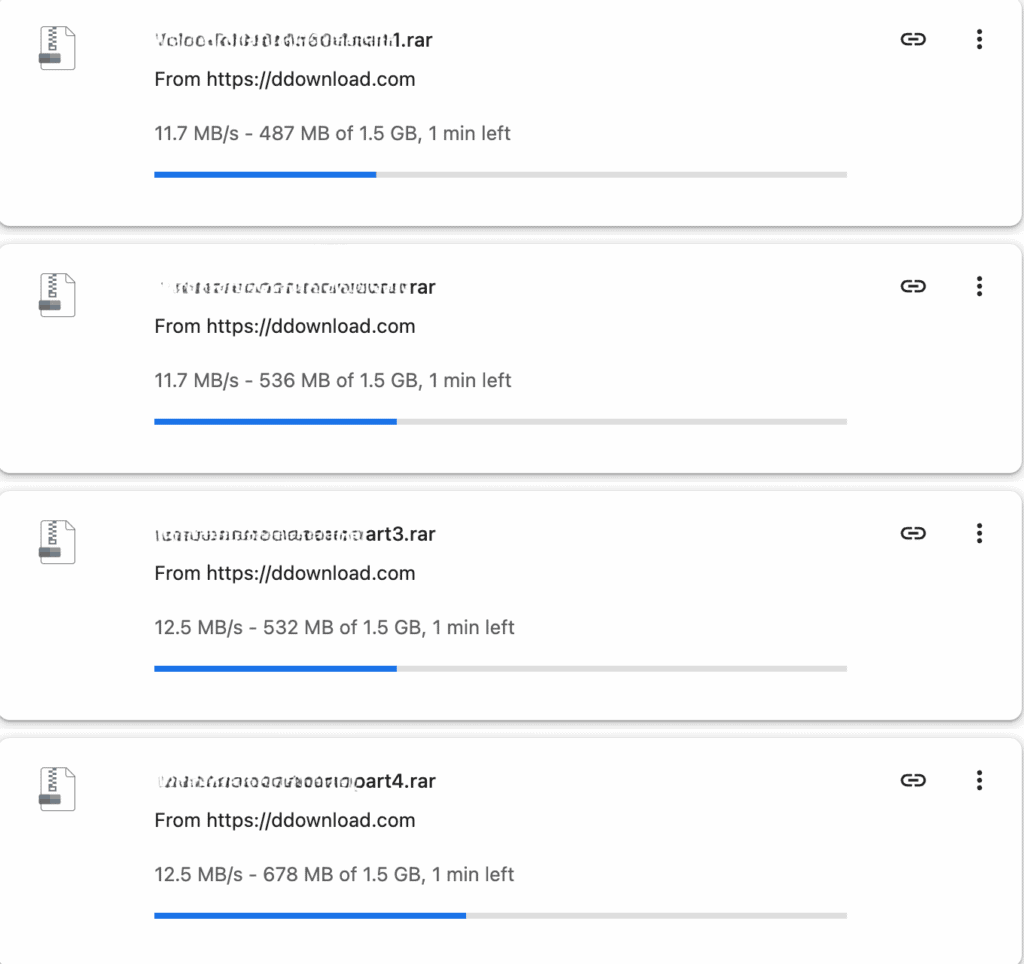

So the fair conclusion is simple: DDownload Premium is clearly better than free for large files and multi-part archives, but it is not a magic speed guarantee. If your ISP route is poor, Premium can still feel slower than expected.
If your speed is unstable, read our DDownload speed fix guide. If you mainly use download queues, see the DDownload JDownloader setup guide.
Who should pay?
✅ Worth it if: You download archives, use JDownloader overnight, or get annoyed by waiting timers.
❌ Skip if: You download a few small files per month. Free is frustrating but usable at low volume.
Pricing (simple)
Not sure which plan to choose? See the DDownload pricing page before buying.
FAQ
Does it work with JDownloader?
Yes – and premium removes all captchas. Full JDownloader guide
Can I resume a failed download?
Yes, premium supports resume. Free does not.
Is the 200 GB daily limit enough?
Honestly, unless you’re downloading 24/7, you’ll never hit it. It’s 6 TB/month. Daily traffic limit
DDownload FAQ – quick answers about speed, limits, payments, and download managers.
Ready to stop waiting?
Yearly plan is the best deal – ~€3.33/month.